Dokumentasi API Sistem Warga: Pengenalan Wajah & Manajemen Data
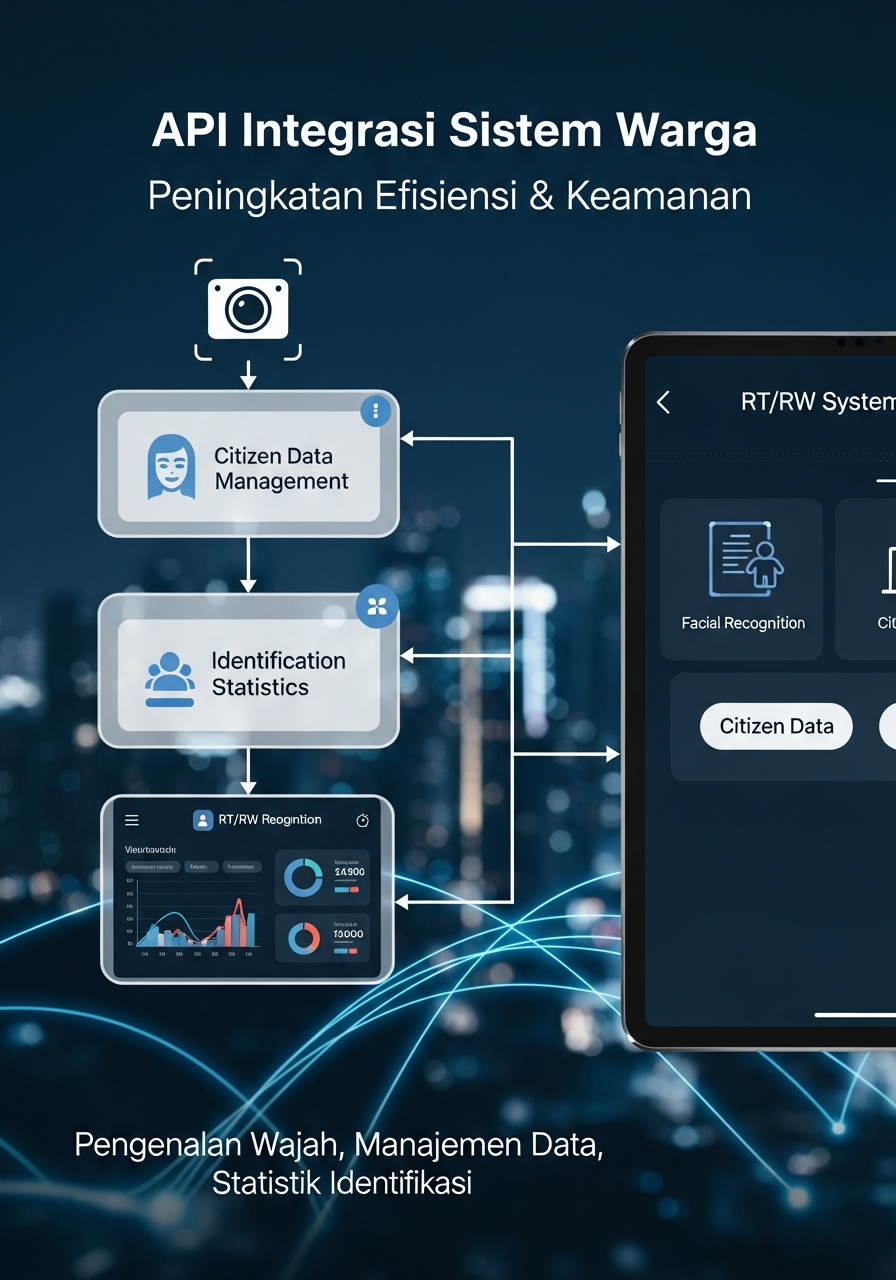
# 📡 Sistem Warga RT/RW - API Documentation
Complete REST API documentation for Warga Management System with Multi-Face Recognition.
## 🔐 Authentication
All API requests require an API key in the header:
```http
X-API-Key: your-api-key-here
```
### Available API Keys (Development)
- `simple-key` - For testing
- `mobile-app-key` - For mobile apps
- `telegram-bot-key` - For Telegram bot
- `whatsapp-bot-key` - For WhatsApp bot
## 🌐 Base URL
```
http://your-server:6321/api/v1
```
## 📋 Endpoints Overview
| Method | Endpoint | Description |
|--------|----------|-------------|
| GET | `/health` | Health check |
| POST | `/identify` | 🎯 Multi-face identification |
| GET | `/warga` | Get all warga |
| GET | `/warga/{nik}/identify-history` | Get identification history |
| GET | `/stats/identification` | Get identification statistics |
---
## 1️⃣ Health Check
Check if API server is running.
**Endpoint:** `GET /health`
**Headers:**
```http
X-API-Key: simple-key
```
**Response:**
```json
{
"status": "ok",
"version": "1.0",
"service": "Attendance Management API",
"timestamp": "2025-10-09T03:06:04.000Z"
}
```
**cURL Example:**
```bash
curl -X GET http://localhost:6321/api/v1/health \
-H "X-API-Key: simple-key"
```
---
## 2️⃣ 🎯 Multi-Face Identification (NEW!)
Identify one or multiple warga from a single photo. Supports multi-face detection!
**Endpoint:** `POST /identify`
**Headers:**
```http
X-API-Key: simple-key
Content-Type: multipart/form-data
```
**Parameters:**
| Parameter | Type | Required | Description |
|-----------|------|----------|-------------|
| `foto` | file | ✅ Yes | Image file (JPEG, PNG) |
| `save_history` | boolean | ❌ No | Save to identification history (default: false) |
| `keterangan` | string | ❌ No | Additional notes/description |
**Success Response (200):**
```json
{
"success": true,
"total_faces_detected": 3,
"identified_count": 2,
"unrecognized_count": 1,
"identified_people": [
{
"index": 0,
"nik": "3571022311820001",
"nama": "John Doe",
"alamat": "Jl. Merpati No. 123, Blok A5",
"nomor_hp": "081234567890",
"rt": "001",
"rw": "001",
"status": "Aktif",
"confidence": 95.5,
"foto_registered": true,
"jumlah_foto": 3
},
{
"index": 2,
"nik": "3571022311820002",
"nama": "Jane Doe",
"alamat": "Jl. Kenari No. 456",
"nomor_hp": "081234567891",
"rt": "002",
"rw": "001",
"status": "Aktif",
"confidence": 92.3,
"foto_registered": true,
"jumlah_foto": 2
}
],
"unrecognized_faces": [
{
"index": 1,
"confidence": 45.2
}
],
"timestamp": "2025-10-09T03:10:00.000Z"
}
```
**Error Response (404):**
```json
{
"success": false,
"error": "Tidak ada wajah terdeteksi",
"face_count": 0,
"identified_people": []
}
```
**cURL Example:**
```bash
# Basic identification (no save)
curl -X POST http://localhost:6321/api/v1/identify \
-H "X-API-Key: simple-key" \
-F "foto=@group_photo.jpg"
# With save to history
curl -X POST http://localhost:6321/api/v1/identify \
-H "X-API-Key: simple-key" \
-F "foto=@group_photo.jpg" \
-F "save_history=true" \
-F "keterangan=Identifikasi rapat RT"
```
**Python Example:**
```python
import requests
url = "http://localhost:6321/api/v1/identify"
headers = {"X-API-Key": "simple-key"}
with open("group_photo.jpg", "rb") as f:
files = {"foto": f}
data = {
"save_history": "true",
"keterangan": "Group photo identification"
}
response = requests.post(url, headers=headers, files=files, data=data)
result = response.json()
print(f"Detected: {result['total_faces_detected']} faces")
print(f"Identified: {result['identified_count']} warga")
for person in result['identified_people']:
print(f"- {person['nama']} (Confidence: {person['confidence']}%)")
```
**JavaScript/Node.js Example:**
```javascript
const FormData = require('form-data');
const fs = require('fs');
const axios = require('axios');
const form = new FormData();
form.append('foto', fs.createReadStream('group_photo.jpg'));
form.append('save_history', 'true');
form.append('keterangan', 'API test');
axios.post('http://localhost:6321/api/v1/identify', form, {
headers: {
'X-API-Key': 'simple-key',
...form.getHeaders()
}
})
.then(response => {
console.log('Identified:', response.data.identified_count);
response.data.identified_people.forEach(person => {
console.log(`${person.nama}: ${person.confidence}%`);
});
})
.catch(error => console.error(error));
```
**Response Field Descriptions:**
| Field | Type | Description |
|-------|------|-------------|
| `success` | boolean | Request success status |
| `total_faces_detected` | integer | Total faces found in photo |
| `identified_count` | integer | Number of successfully identified warga |
| `unrecognized_count` | integer | Number of unrecognized faces |
| `identified_people` | array | List of identified warga with details |
| `identified_people[].index` | integer | Face position in detection order (0-based) |
| `identified_people[].confidence` | float | Recognition confidence (0-100%) |
| `unrecognized_faces` | array | List of unrecognized faces |
| `timestamp` | string | ISO 8601 timestamp |
---
## 3️⃣ Get All Warga
Get list of all registered warga.
**Endpoint:** `GET /warga`
**Headers:**
```http
X-API-Key: simple-key
```
**Response (200):**
```json
{
"success": true,
"count": 25,
"data": [
{
"nik": "3571022311820001",
"nama": "John Doe",
"alamat": "Jl. Merpati No. 123",
"nomor_hp": "081234567890",
"rt": "001",
"rw": "001",
"foto_registered": true,
"jumlah_foto": 3
}
]
}
```
**cURL Example:**
```bash
curl -X GET http://localhost:6321/api/v1/warga \
-H "X-API-Key: simple-key"
```
---
## 4️⃣ Get Identification History
Get identification history for a specific warga.
**Endpoint:** `GET /warga/{nik}/identify-history`
**Headers:**
```http
X-API-Key: simple-key
```
**Query Parameters:**
| Parameter | Type | Default | Description |
|-----------|------|---------|-------------|
| `limit` | integer | 10 | Number of records to return |
| `start_date` | string | - | Filter from date (YYYY-MM-DD) |
| `end_date` | string | - | Filter to date (YYYY-MM-DD) |
**Response (200):**
```json
{
"success": true,
"warga": {
"nik": "3571022311820001",
"nama": "John Doe"
},
"count": 5,
"history": [
{
"id": 123,
"waktu": "2025-10-09T03:10:00.000Z",
"confidence": 95.5,
"lokasi": "Pos Satpam Utara",
"petugas": "admin",
"keterangan": "API identification - 3 faces detected",
"foto_url": "/uploads/api_identifikasi_3571022311820001_1728451800.jpg"
}
]
}
```
**cURL Example:**
```bash
curl -X GET "http://localhost:6321/api/v1/warga/3571022311820001/identify-history?limit=10&start_date=2025-01-01" \
-H "X-API-Key: simple-key"
```
---
## 5️⃣ Get Identification Statistics
Get statistical data about identifications.
**Endpoint:** `GET /stats/identification`
**Headers:**
```http
X-API-Key: simple-key
```
**Query Parameters:**
| Parameter | Type | Default | Description |
|-----------|------|---------|-------------|
| `start_date` | string | Today | Start date (YYYY-MM-DD) |
| `end_date` | string | Today | End date (YYYY-MM-DD) |
**Response (200):**
```json
{
"success": true,
"period": {
"start_date": "2025-10-01",
"end_date": "2025-10-09"
},
"stats": {
"total_identifications": 150,
"unique_warga_count": 45,
"average_confidence": 92.5,
"identifications_by_date": {
"2025-10-08": 25,
"2025-10-09": 30
}
},
"top_identified_warga": [
{
"nik": "3571022311820001",
"nama": "John Doe",
"count": 15
},
{
"nik": "3571022311820002",
"nama": "Jane Doe",
"count": 12
}
]
}
```
**cURL Example:**
```bash
curl -X GET "http://localhost:6321/api/v1/stats/identification?start_date=2025-10-01&end_date=2025-10-09" \
-H "X-API-Key: simple-key"
```
---
## 🚨 Error Codes
| Code | Description | Example Response |
|------|-------------|------------------|
| 200 | Success | `{"success": true, ...}` |
| 400 | Bad Request | `{"error": "Foto diperlukan"}` |
| 401 | Unauthorized | `{"error": "Invalid API key"}` |
| 404 | Not Found | `{"error": "Warga not found"}` |
| 500 | Server Error | `{"error": "Internal server error"}` |
---
## 🔄 Multi-Face Detection Flow
```mermaid
graph TD
A[Upload Photo] --> B[Face Detection API]
B --> C{Faces Found?}
C -->|No| D[Return Error 404]
C -->|Yes| E[Process Each Face]
E --> F{Face Recognized?}
F -->|Yes| G[Get Warga Data from DB]
F -->|No| H[Add to Unrecognized List]
G --> I[Add to Identified List]
H --> J[Return Results]
I --> J
J --> K{Save History?}
K -->|Yes| L[Save to Database]
K -->|No| M[Return JSON Response]
L --> M
```
---
## 📦 Postman Collection
Import this JSON into Postman for quick testing:
```json
{
"info": {
"name": "Warga RT/RW API",
"schema": "https://schema.getpostman.com/json/collection/v2.1.0/collection.json"
},
"item": [
{
"name": "Multi-Face Identification",
"request": {
"method": "POST",
"header": [
{"key": "X-API-Key", "value": "simple-key"}
],
"body": {
"mode": "formdata",
"formdata": [
{"key": "foto", "type": "file"},
{"key": "save_history", "value": "true"},
{"key": "keterangan", "value": "Test identification"}
]
},
"url": {
"raw": "http://localhost:6321/api/v1/identify",
"protocol": "http",
"host": ["localhost"],
"port": "6321",
"path": ["api", "v1", "identify"]
}
}
}
]
}
```
Download via: Menu **API Docs** → **Download Postman Collection**
---
## 💡 Usage Tips
### Multi-Face Best Practices
1. **Photo Quality:**
- Resolution: Minimum 640x480
- Format: JPEG or PNG
- Lighting: Well-lit, avoid shadows
- Angle: Frontal face preferred
2. **Multiple Faces:**
- Each face should be clearly visible
- Minimum 100x100 pixels per face
- Avoid overlapping faces
- Can detect up to 20 faces per photo
3. **Confidence Threshold:**
- > 90%: Excellent match
- 80-90%: Good match
- 70-80%: Fair match
- < 70%: May need verification
4. **Performance:**
- Processing time: ~1-3 seconds per photo
- Concurrent requests: Up to 10
- Max file size: 16MB
### Integration Examples
**WhatsApp Bot Integration:**
```python
# When user sends photo to WhatsApp bot
def handle_photo_message(photo_data):
response = requests.post(
'http://localhost:6321/api/v1/identify',
headers={'X-API-Key': 'whatsapp-bot-key'},
files={'foto': photo_data},
data={'save_history': 'true', 'keterangan': 'WhatsApp identification'}
)
if response.json()['success']:
people = response.json()['identified_people']
message = f"Teridentifikasi {len(people)} warga:\\n"
for person in people:
message += f"- {person['nama']} ({person['confidence']}%)\\n"
return message
```
**Mobile App Integration:**
```kotlin
// Android Kotlin example
fun identifyWarga(photoFile: File) {
val requestFile = photoFile.asRequestBody("image/jpeg".toMediaTypeOrNull())
val photoPart = MultipartBody.Part.createFormData("foto", photoFile.name, requestFile)
val call = apiService.identify(
apiKey = "mobile-app-key",
foto = photoPart,
saveHistory = "true"
)
call.enqueue(object : Callback<IdentifyResponse> {
override fun onResponse(call: Call<IdentifyResponse>, response: Response<IdentifyResponse>) {
val result = response.body()
println("Identified: ${result?.identifiedCount} warga")
}
})
}
```
---
## 📞 Support
- 📧 Email: [email protected]
- 📱 WhatsApp: +62 xxx-xxxx-xxxx
- 🌐 Documentation: http://your-server:6321/api-docs
- 📦 GitHub: https://github.com/your-repo
---
**Last Updated:** October 2025
**API Version:** 1.0
**System:** Sistem Manajemen Identitas Warga RT/RW